
Web App vs Native App at Zombillion Casino
The distinction between a native application distributed through app stores and a mobile web app running in a browser matters for players comparing casino access options. Zombillion Casino uses the web-app route exclusively for reasons ranging from regulatory friction to update speed. The comparison below highlights the practical differences.
| Feature | Zombillion Mobile Web | Typical Native App |
|---|---|---|
| Installation | Add to Home Screen | App Store download |
| Storage used | Near zero | 50–200 MB |
| Updates | Instant, server-side | Manual through store |
| Offline access | No | Rarely useful for casinos |
| Push notifications | Limited (browser) | Yes |
| Store approval risk | None | Gambling category restrictions |
For online casino access specifically, the web-app approach removes friction — the browser bookmark launches Zombillion instantly with no download queue or update prompt to interrupt play.
Installing Zombillion on iPhone and iPad
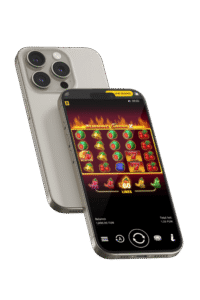
iOS players running iOS 15 or above can pin Zombillion Casino to the home screen through Safari's built-in Share menu, producing a full-screen web app that behaves almost identically to a native application. The installation sequence takes under one minute on any recent iPhone or iPad.
- Open Safari on iPhone or iPad — the standalone install works through Safari specifically, not Chrome for iOS.
- Type the Zombillion Casino address into the address bar and load the site.
- Tap the Share icon at the bottom centre of the browser toolbar.
- Scroll through the Share menu and select "Add to Home Screen".
- Confirm the shortcut name and tap Add in the top-right corner.
- Return to the home screen and tap the new icon to launch full-screen.
Safari's saved-password integration allows Face ID and Touch ID biometric login on subsequent visits, closing the gap with native applications on iOS 17 and above.
Installing Zombillion on Android Devices
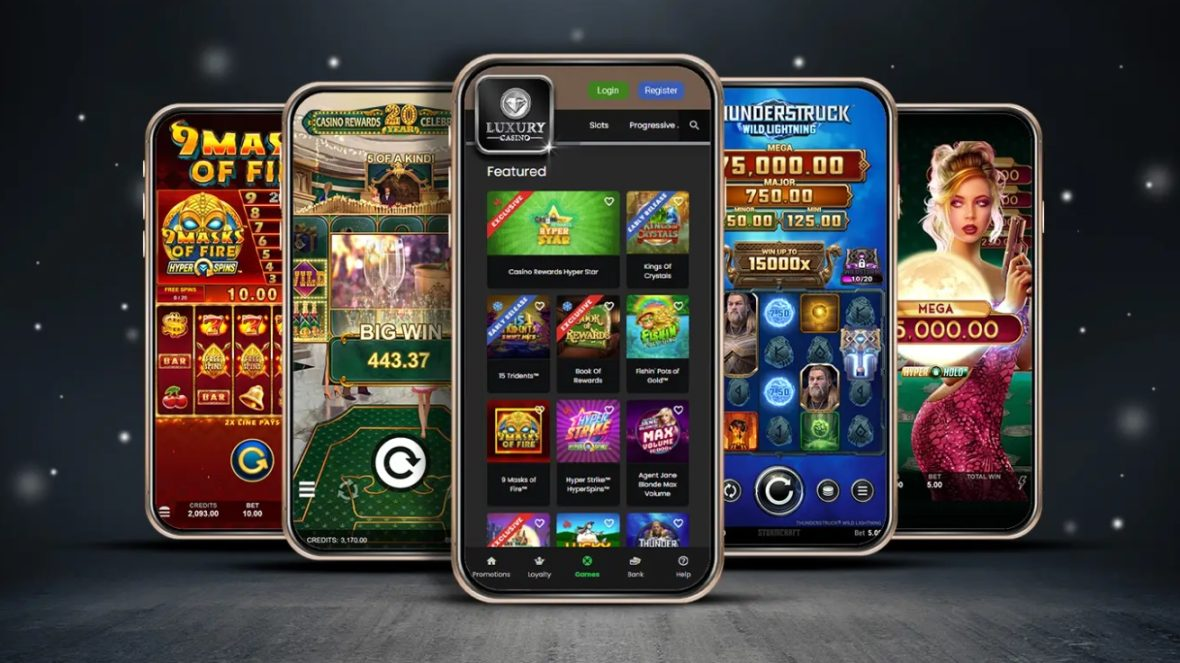
Android players running Android 10 or above can install Zombillion Casino as a Progressive Web App (PWA) through Chrome or Samsung Internet. The site's manifest file triggers an automatic install prompt in most cases, or players can install the Zombillion app manually through the browser menu shown below.
- Open Chrome or Samsung Internet on an Android phone or tablet.
- Navigate to the Zombillion Casino site by typing the address into the URL bar.
- Tap the three-dot menu in the top-right corner of the browser.
- Select "Install app" if the option appears, or "Add to Home Screen" as an alternative.
- Confirm the install prompt to add the Zombillion icon to the app drawer.
- Launch the shortcut to open the site in a standalone full-screen window.
Only install Zombillion through the official browser-based site; any file offered as a "Zombillion APK" outside the official channels is not published by the operator and should be avoided.
Mobile Casino Features Available in Browser
Every feature of the desktop Zombillion Casino site works identically on mobile browsers, delivered through responsive HTML5 layouts and adaptive video streams that scale to available bandwidth automatically. Players who complete Zombillion Casino registration on desktop can log in on mobile with the same credentials with no separate mobile account required.
- Complete game lobby — All 4,000+ slot, live dealer, table game and crash titles launch directly in mobile browsers with no download.
- HD live streaming — Evolution Gaming, Pragmatic Live and Ezugi live tables stream in adaptive HD adjusting to network speed.
- Full cashier access — Deposits, withdrawals, payment method management and KYC document uploads all function on mobile.
- Biometric login — Saved-password integration on iOS and Android enables Face ID, Touch ID and fingerprint access to registered accounts.
- Cashback dashboard — Weekly Monday cashback and Tuesday rakeback tracking display in the mobile account view.
- Live chat support — 24/7 support access from any browser without opening a separate application.
Sportsbook markets, in-play betting menus and the tournament leaderboard render in mobile browsers with no functional differences from desktop access.
| CRITERION | ZOMBILLION | CASINACHO ★ |
|---|---|---|
| Game catalogue | 4,000+ titles | 7,500+ titles |
| Live casino | Live dealer tables | 400+ Evolution tables |
| Welcome offer | up to £4,000 + 200 FS | £3,000 + 200 spins |
| Bonus wagering | 35x wagering | Lighter requirements |
| Crypto payouts | Cards & crypto | Fast crypto payouts |
| Sports betting | Full sportsbook | Casino-focused |
Mobile System Requirements and Data Usage
Zombillion Casino runs on any modern mobile browser, but slot loading times and live streaming quality depend on device performance and available bandwidth. Minimum and recommended specifications are outlined below.
| Requirement | Minimum | Recommended |
|---|---|---|
| iOS version | iOS 15 | iOS 17 or later |
| Android version | Android 10 | Android 13 or later |
| Device RAM | 2 GB | 4 GB |
| Connection | 4G or Wi-Fi | 5G or Wi-Fi |
Slot sessions consume roughly 1–2 MB of mobile data per hour, while HD live table streaming uses approximately 150–250 MB per hour. Wi-Fi is recommended for extended live-casino play to avoid mobile data plan overages.
Depositing and Withdrawing from Mobile
All eighteen Zombillion Casino payment methods work identically on mobile browsers with no reduced functionality compared with desktop. Apple Pay and Google Pay integrate directly with iOS and Android biometric confirmation, delivering the fastest deposit path through one-tap Face ID or fingerprint authorisation. Traditional cards process through 3-D Secure verification identical to desktop. Cryptocurrency deposits scan a QR code through a mobile wallet application. Withdrawal request times match desktop performance: twenty-four-hour check, same-day crypto and e-wallet clearance, one to three business days for card cash-outs. Welcome bonuses activate identically to desktop — full breakdown is available on the Zombillion Casino bonus page.